

Your day.
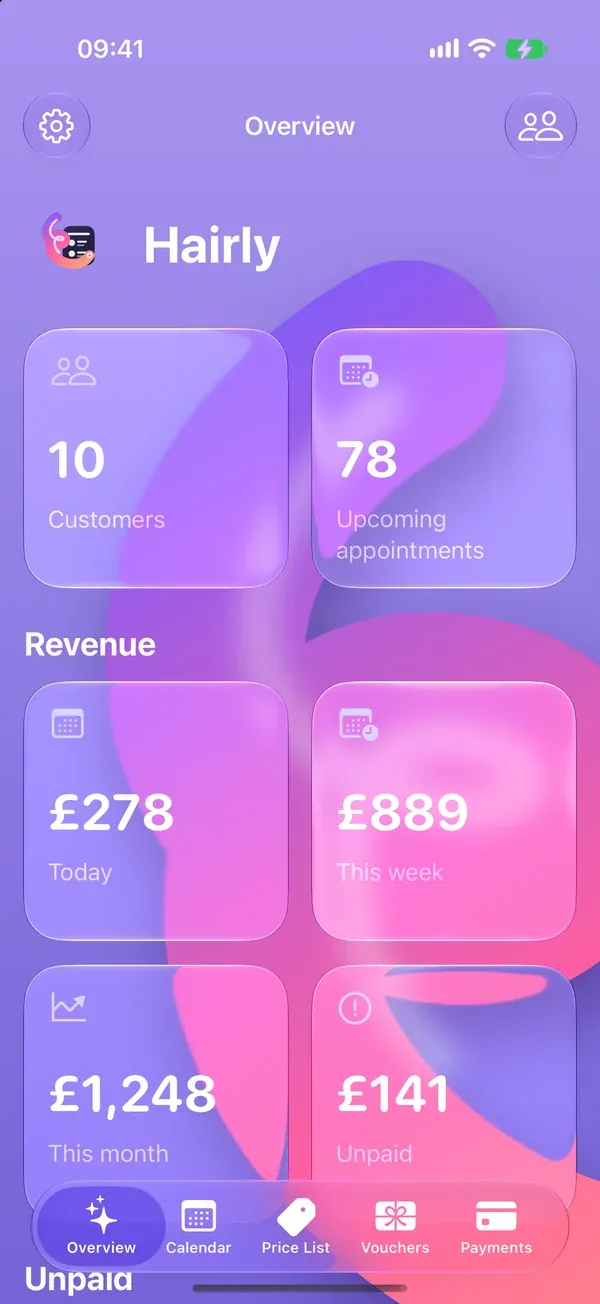
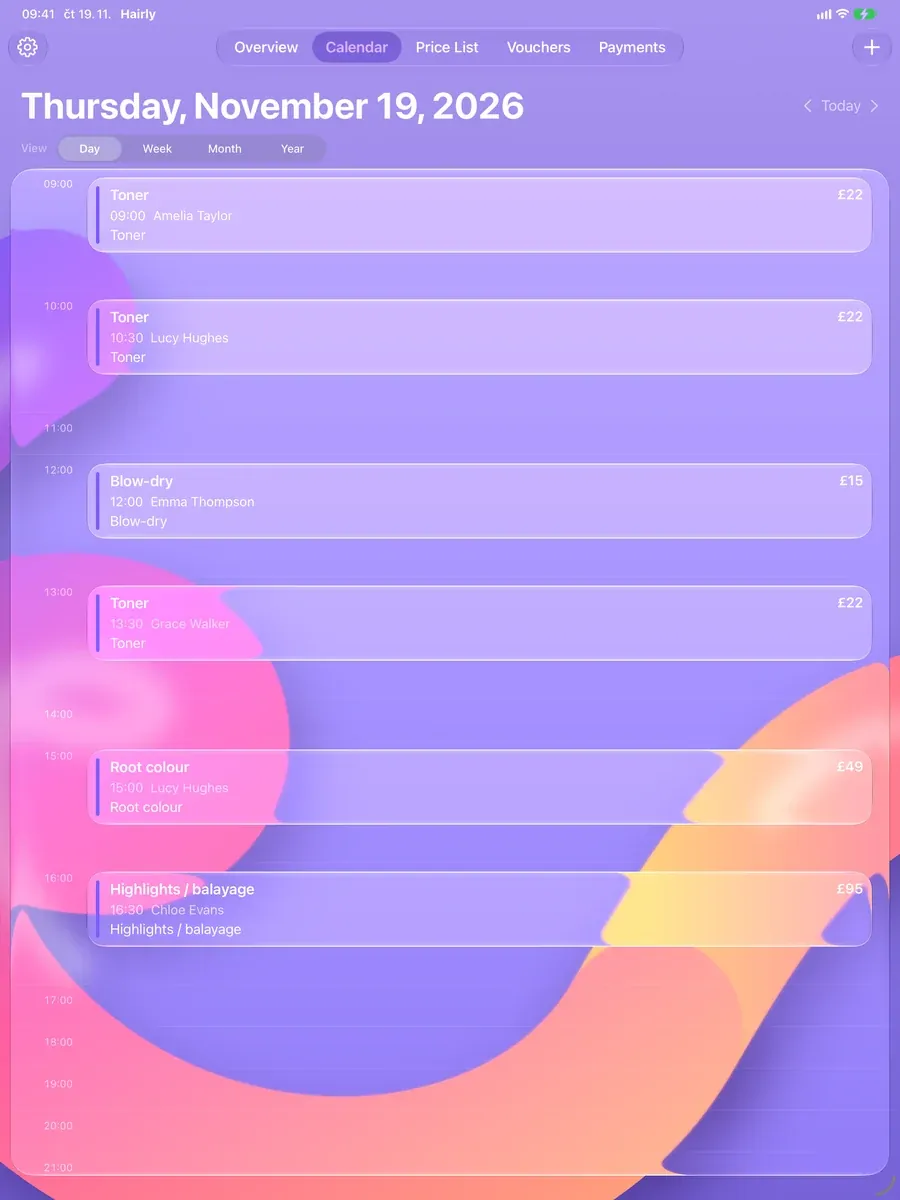
The first screen shows your clients, today's appointments, unpaid visits and revenue for the day, week and month.
- Put the tabs in your own order
- Use your own photo as the wallpaper


 Hairly 2.0 for iPhone, iPad, Mac and Android
An app for hair salons and barbershops. Clients, appointments, payments and receipts on one phone.

Free to download.
Unpaid visits wait in Payments, one tap away. The receipt and the revenue entry are created for you.
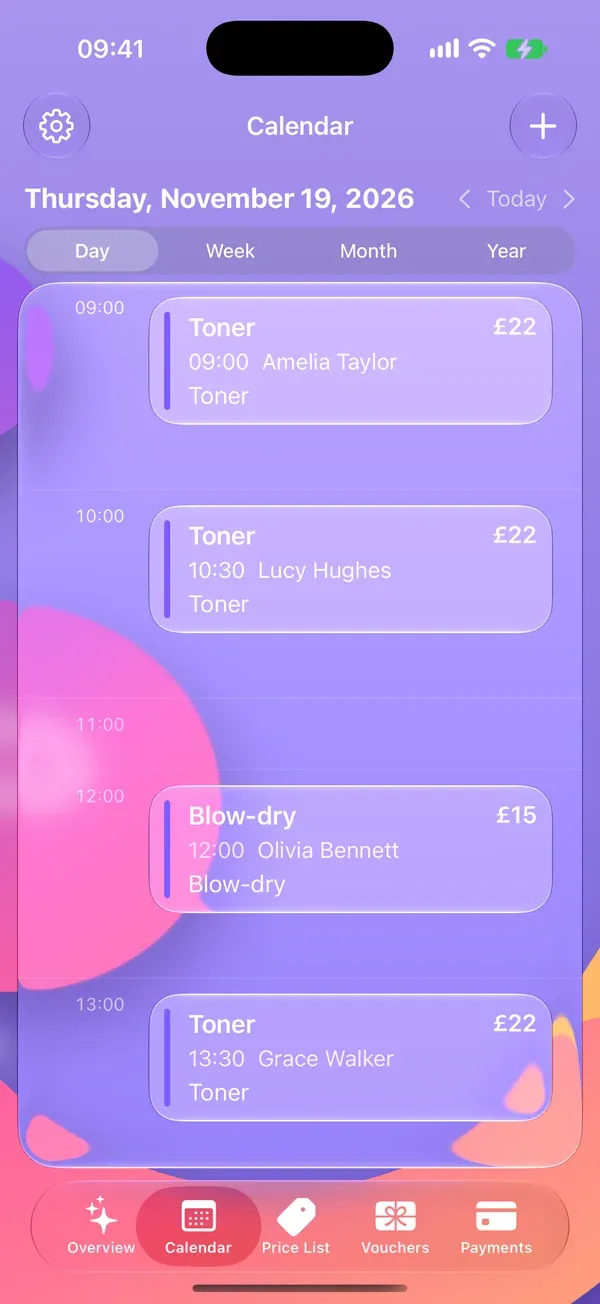
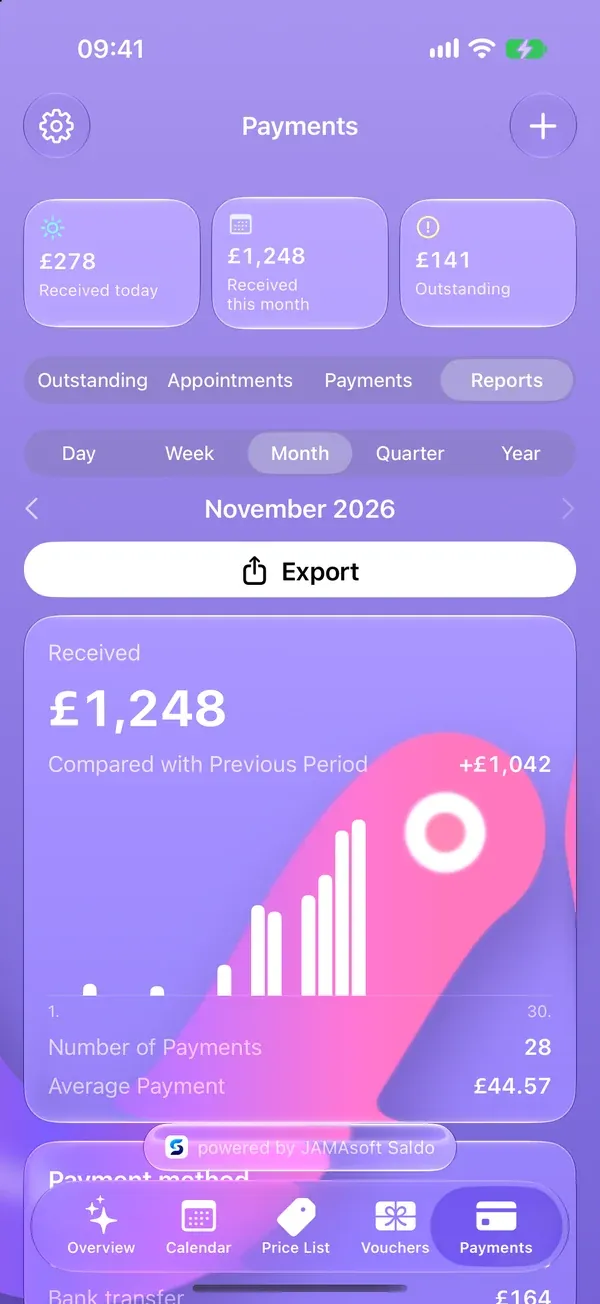
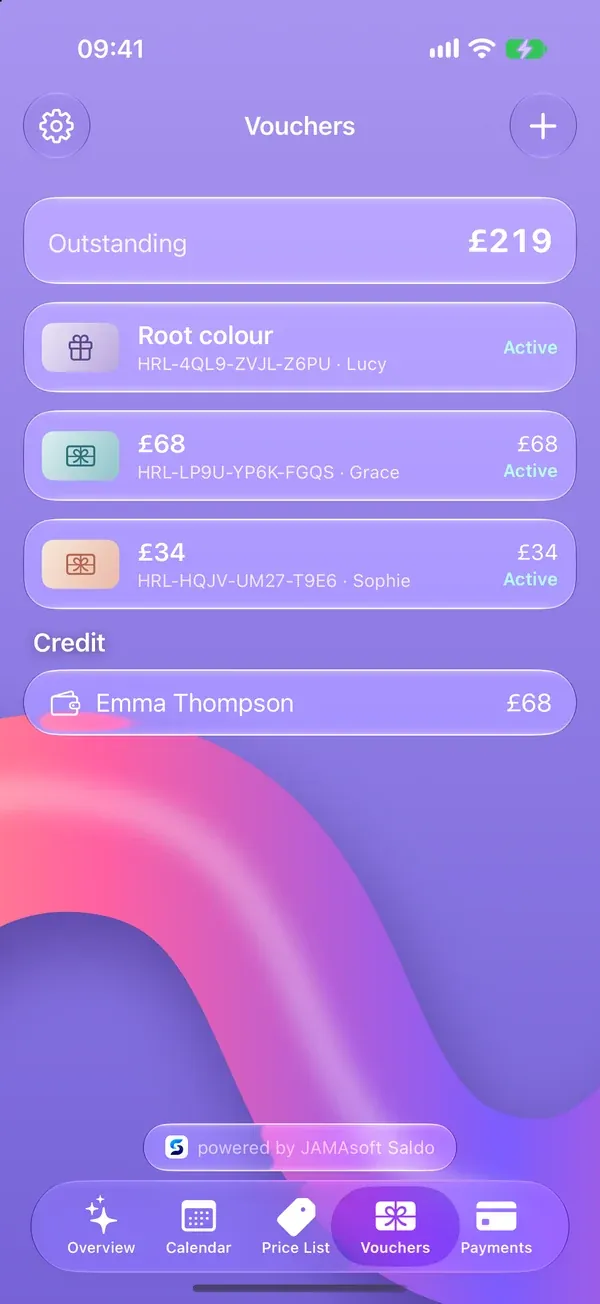
The first screen shows your clients, today's appointments, unpaid visits and revenue for the day, week and month.
View by day, week, month or year. Appointments are made from your price list, so the service and price are already filled in.
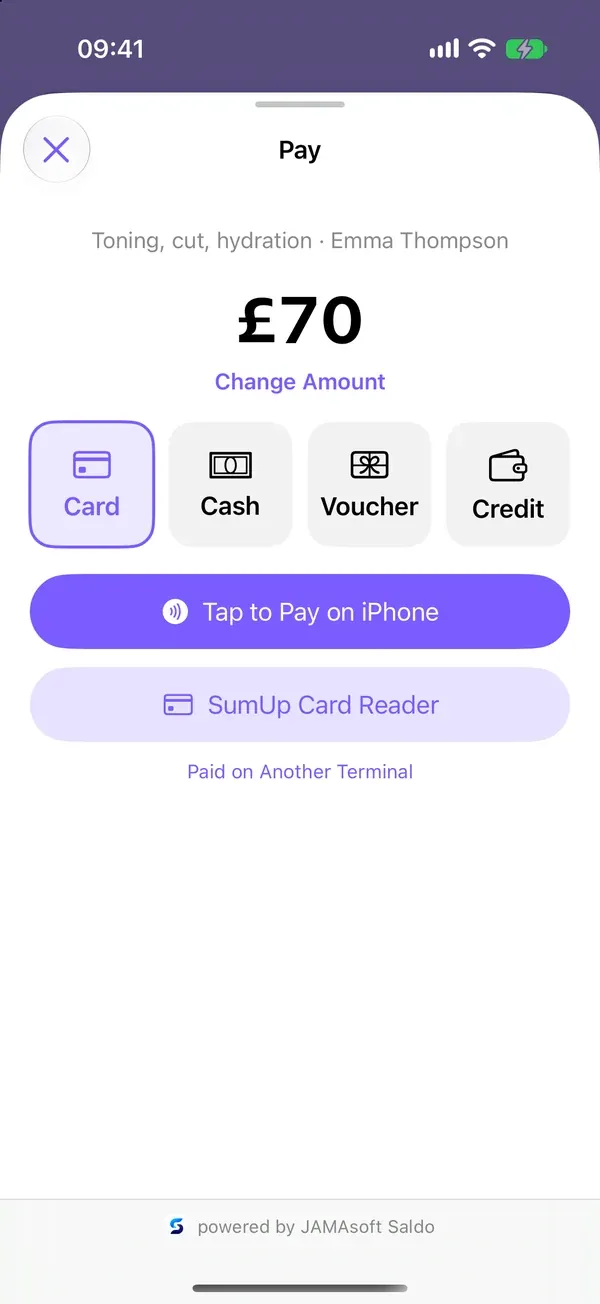
Clients pay by cash, card, voucher or credit, and in crowns or euros also by QR code. Hairly issues the receipt and totals your revenue by day, week, month, quarter and year, VAT figures included.
Sell a voucher for a service or for an amount. The client adds it to Apple Wallet or Google Wallet and shows it on their phone at the visit.
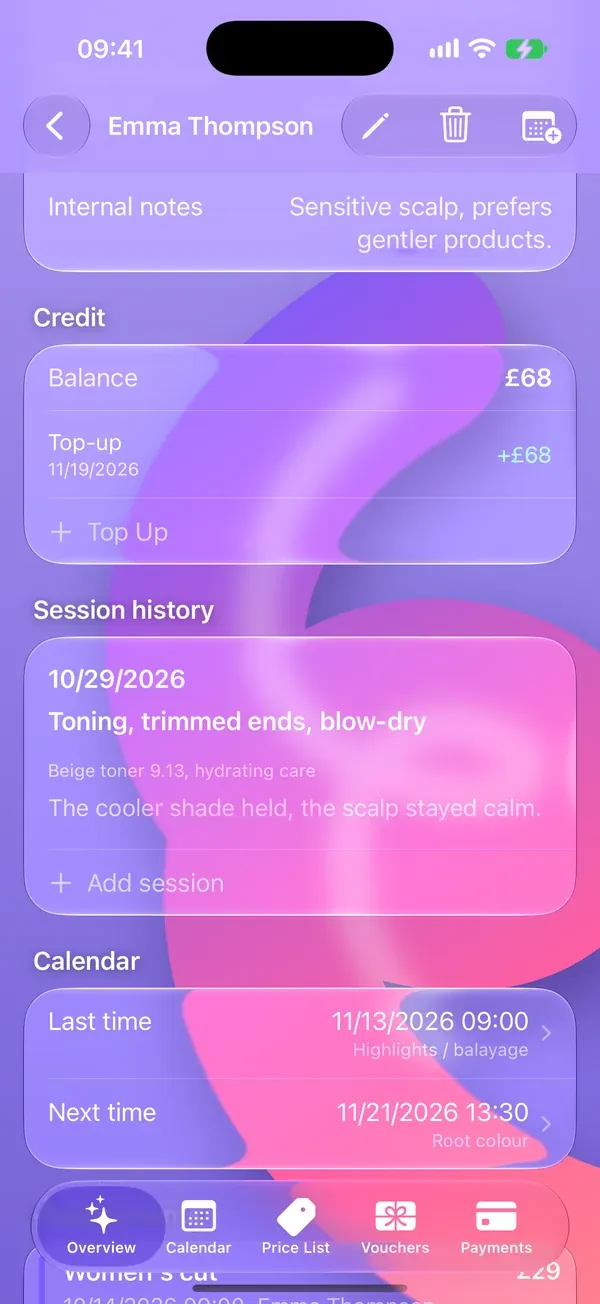
The client card holds the hair type, the colour used, allergies and photos from every visit.
Take card payments on your own iPhone. The client holds a card, phone or watch near it.1
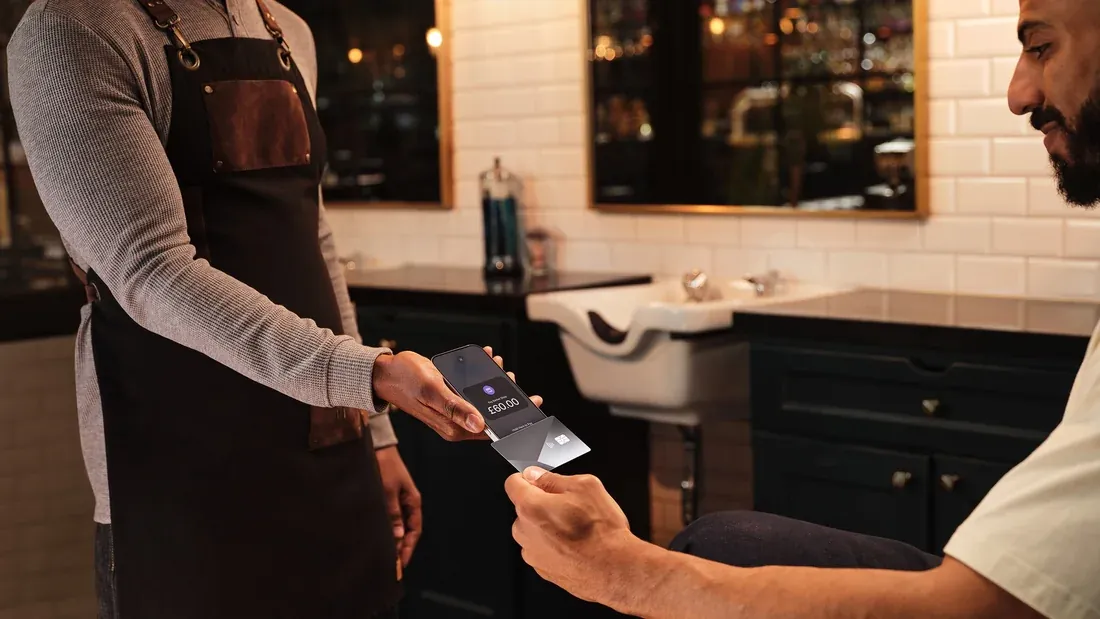
iPhone XS or later and a SumUp account.
The payment is recorded on the visit and the receipt is issued. You can book the next appointment straight away.
Hairly issues a confirmation that the payment did not go through. Print it or send it as a PDF.
On Android, take cards with Tap to Pay and SumUp. On iPad and iPhone you can also use a SumUp card reader.
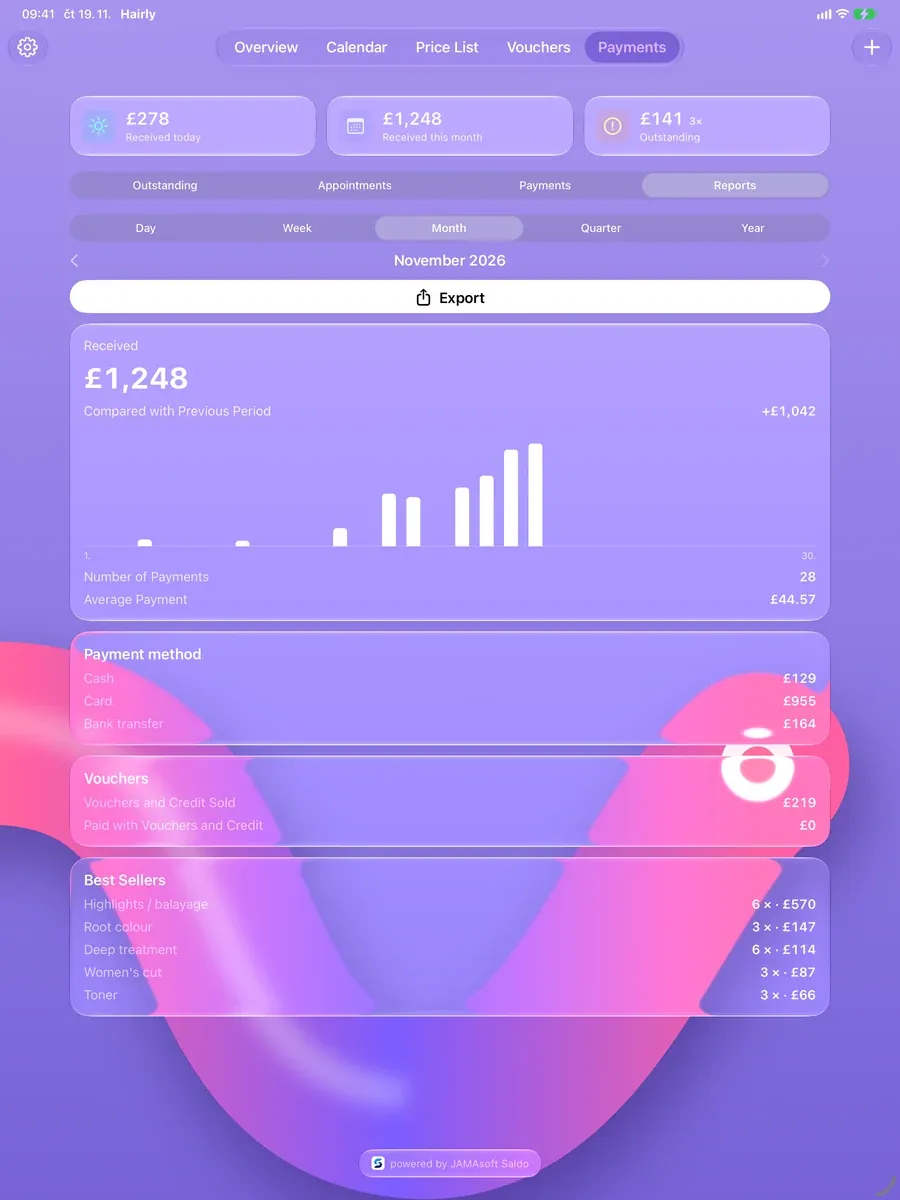
Each payment gets a receipt. Reports show revenue by period, payment method and service, with VAT figures for your accountant.
The app has seven colours and three motifs, or you can use your own photo. You can try the colours on this page too.
Client details are stored on your device and in your own iCloud or Google Drive. Hairly has no server with client data. We only run a service that prepares vouchers for Apple Wallet and Google Wallet.
How Hairly protects your privacy ↗Hairly is free to download, with a limited number of clients, appointments and payments. Hairly Premium removes the limits. See the App Store and Google Play for the price.
Support and FAQ ↗On first launch, the setup guide takes you through your salon, payments and receipts.
1. Some contactless cards may not be accepted. Transaction limits may apply. The Contactless Symbol is a trademark owned by and used with permission of EMVCo, LLC. Tap to Pay on iPhone requires iPhone XS or later and a SumUp account.
Apple, Apple Pay, Apple Wallet, iPhone, iPad and Mac are trademarks of Apple Inc. App Store is a service mark of Apple Inc. Google Play, Google Wallet and Android are trademarks of Google LLC.