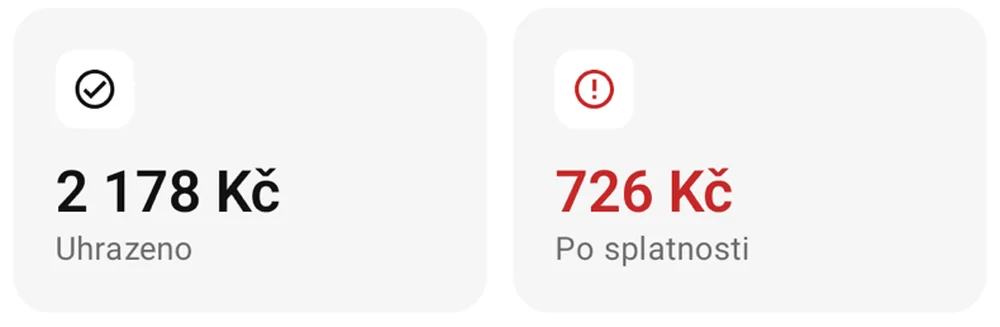
See what has been paid.
Track full and partial payments and keep an eye on overdue invoices. Know who needs a reminder.


 JAMAsoftSaldo
A Czech app for freelancers and small businesses. Invoices, customers and payments, clearly organized in one place.

 Coming soon to Google Play


From your first invoice to a paid job. Keep key information close at hand and always know where you stand.
Track full and partial payments and keep an eye on overdue invoices. Know who needs a reminder.
Load the company name and address from ARES, the Czech business register. Save manual retyping when adding a customer.
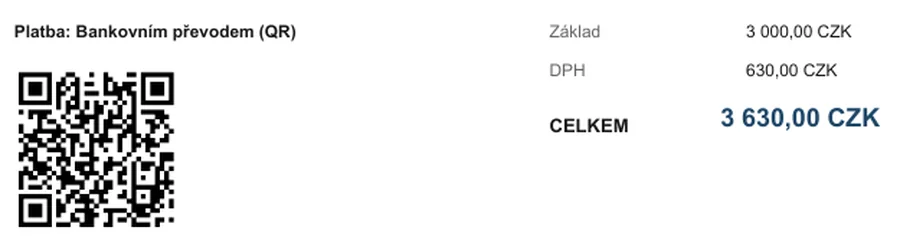
Add a bank payment QR code to your PDF invoice. Customers do not have to retype payment details.

Save contacts in your directory and services in your price list. On the next invoice, simply select what is already there.
Saldo guides you through everyday invoicing without complicated setup.
Use a saved contact or load company details using a Czech company ID.
Select services from your price list, enter quantities and set the due date.
Save or print the invoice, or pass it to your email app. Record the payment in Saldo when it arrives.
Invoices are stored on your device. Saldo contains no advertising or analytics tracking.
How we protect your privacy
Choose your device and download the app for free. No subscription or monthly fees.
One app for your Apple devices.
Get started now with the APK. A Google Play release is being prepared.
Download the installer for your computer. Coming soon to the Microsoft Store too.
For freelancers and small businesses that want to issue invoices and track payments clearly. Saldo focuses on invoicing rather than full accounting.
Yes. Saldo supports VAT-registered and non-registered businesses. Alongside standard invoices, it supports advance invoices and related documents.
Your data is stored locally on your device. On Apple devices and Android, you can sync through the private iCloud space of your Apple account. For details, see our Privacy Policy.
Save the invoice as a PDF, print it or pass it to your email app. Saldo does not send emails itself. You choose how to deliver it to your customer.